
Owner and practice manager
Running the practice: who can do what, what things cost, and how you know the business is healthy.
The difference between the two roles
An owner can do everything, including the things that cannot be undone. There must always be at least one, and the last active owner cannot be removed.
A practice manager runs the practice day to day — everything except ownership and deleting the business.
Owner access cannot be reduced. Unticking a box against the owner row does nothing, deliberately: the way that goes wrong is specific and unrecoverable — untick Change permissions for owner and the only role that can put it back has just lost the screen that does so.
Setting the practice up
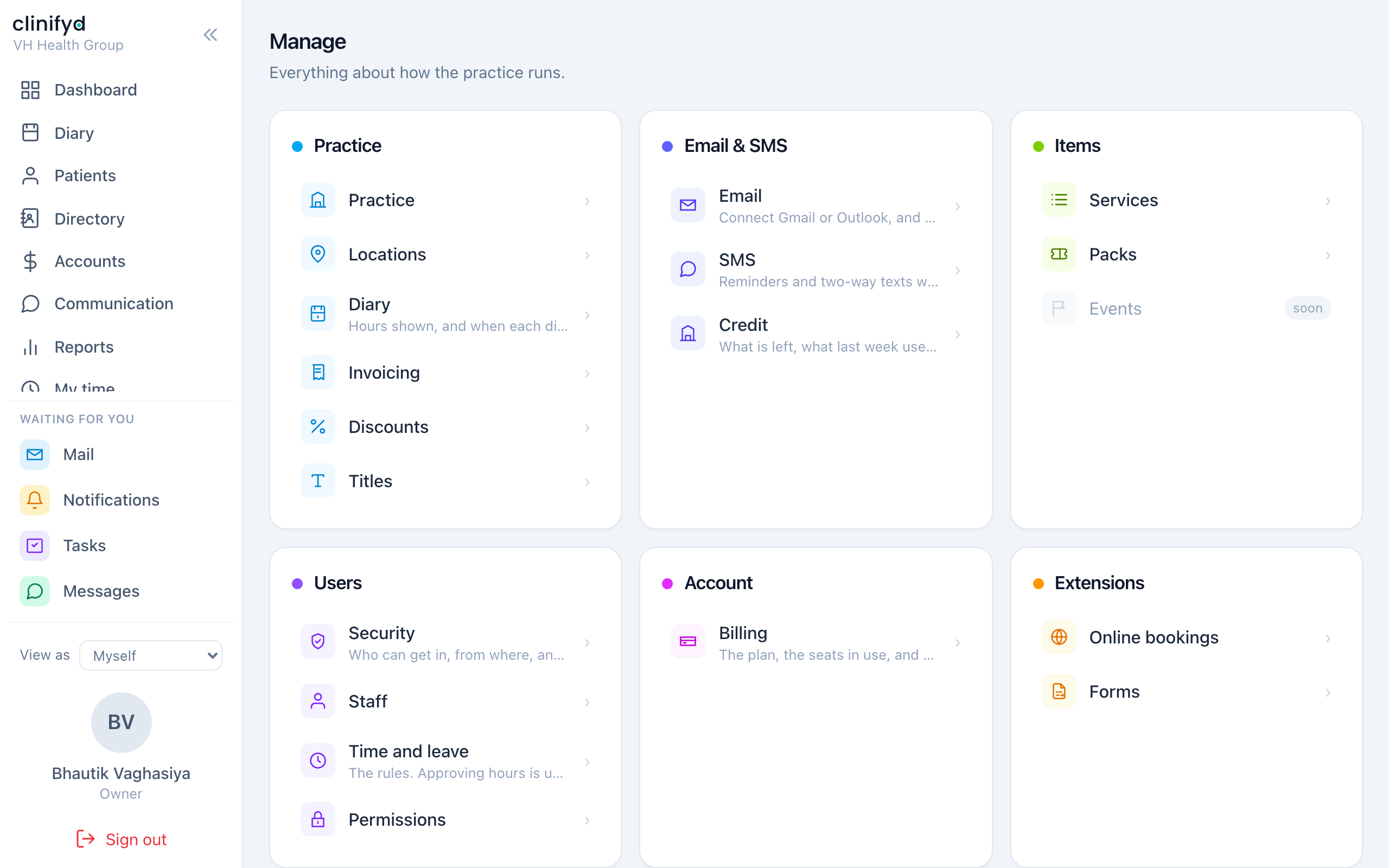
Manage. Work down it roughly in this order.
Practice
- Practice — name, address, ABN, contact details. These appear on invoices.
- Disciplines — installing a discipline configures the practice for its profession: services, note templates, the registration body, the usual funding, and whether the software says patients or clients. Do this before anything else; it seeds a lot.
- Locations — sites. Stock is counted per location.
- Diary — hours shown, and when each practitioner's diary is open.
- Invoicing — number sequences, tax settings, payment methods.
- Discounts — the catalogue of reasons money comes off. Worth building properly; a discount taken as free text cannot be reported on.
- Titles — Dr, Mr, Mx and the rest.
Items
- Services — what you sell, what it costs, how long it takes, and how it lands on an invoice.
- Classes, Packs, Inventory, Billed as.
Users
- Staff — logins. Adding somebody with the practitioner role also gives them a diary column.
- Permissions — see below.
- Time and leave — employment terms, accrual, timesheet approval.
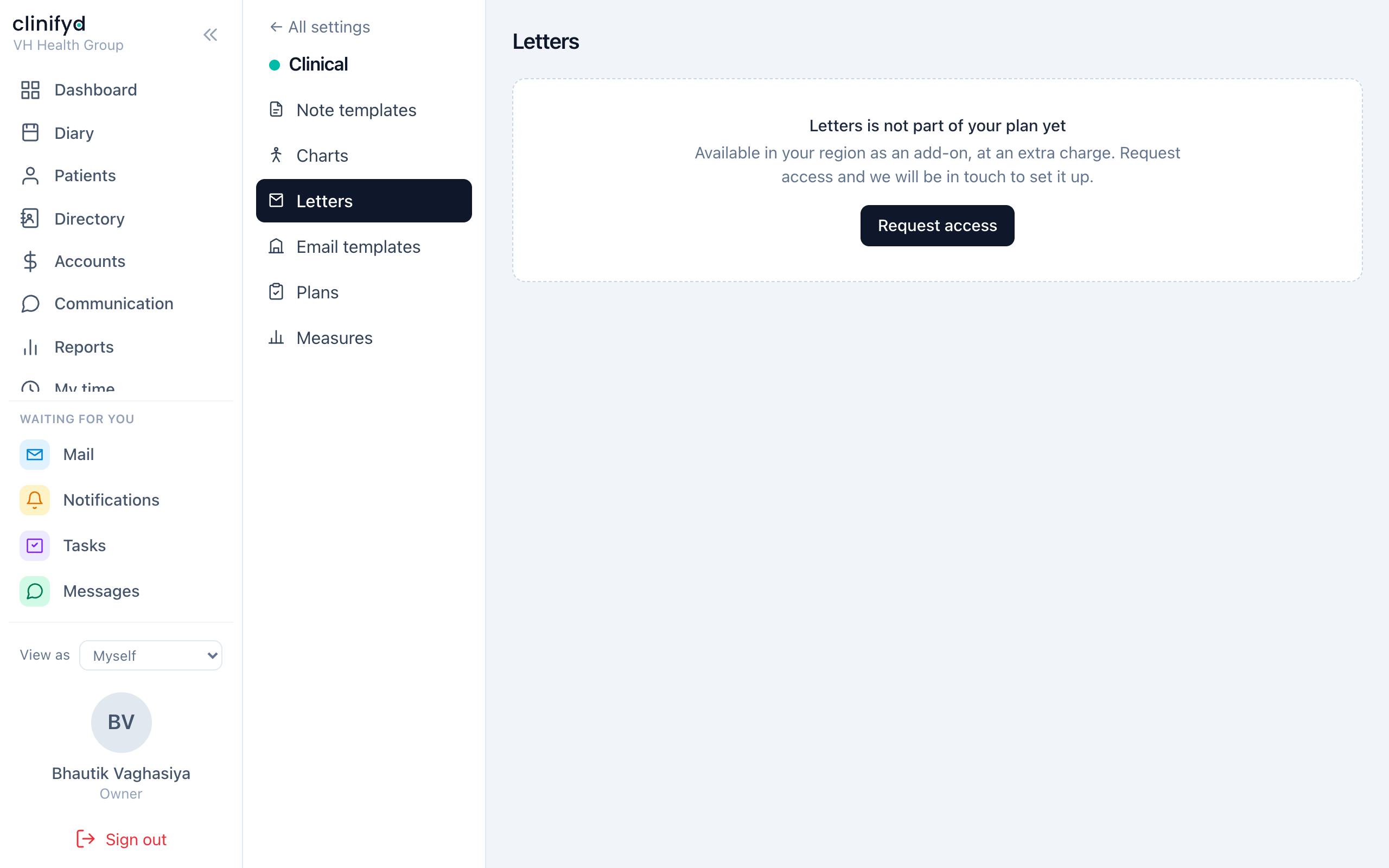
Clinical
- Note templates, Plans, Measures.
Permissions
Manage → Permissions. Six roles, thirty-odd switches.
Three things to understand before you change anything:
The server checks every one of them. Hiding a button on screen is a courtesy, not the control. Somebody who works out the address of a page they are not allowed still gets refused.
Some switches are locked and cannot be granted. Clinical records can never go to a front desk, accounts or marketing login. Ending somebody else's session belongs with whoever runs the practice. These exist so a practice cannot configure itself into a clinical or legal problem, and no setting turns them off.
Changing somebody's role signs them out. That is intentional — the change takes effect immediately rather than whenever they next happen to sign in.
The full grid is in Roles and permissions.
The principle worth holding to
Give the least that lets somebody do their job. Not because anybody is suspected, but because a login is a target: the damage a stolen password can do is exactly the damage that login was allowed to do.
Knowing the practice is healthy
Every Monday
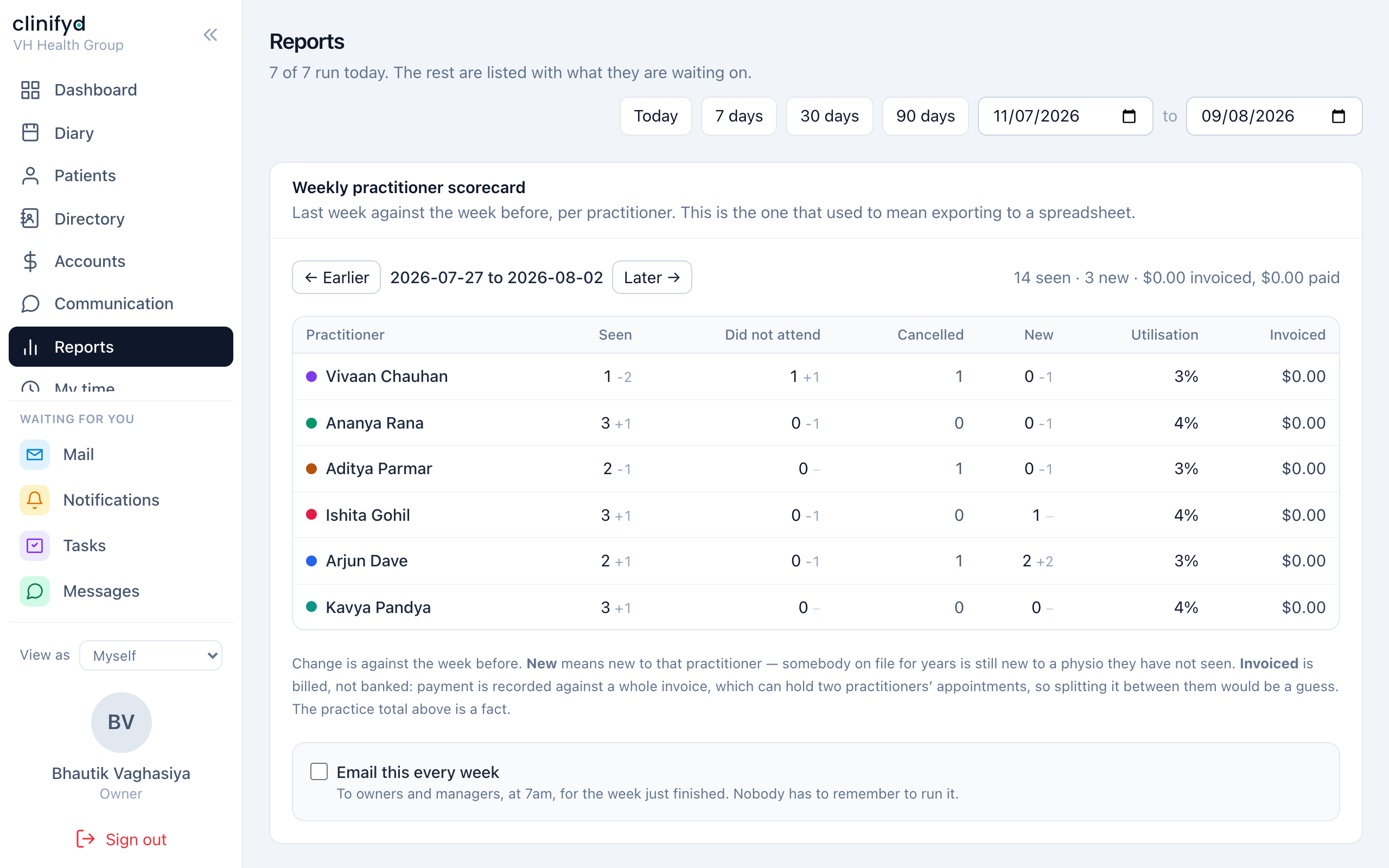
The weekly scorecard arrives by email, per practitioner, without anybody exporting anything. Switch it on at Reports → Scorecard.
It carries last week against the week before, because a number alone is not a KPI — 42 appointments is good or bad only next to the 51 before it. It reports:
- Seen, booked, did-not-attend, cancelled
- New patients and distinct patients
- Utilisation — booked time against rostered time, so a practitioner who does not work Fridays is not marked down for an empty Friday
- Invoiced
By default it goes to owners and managers only. A scorecard comparing colleagues is a management document, and posting it to the whole team unasked is the practice's decision, not the software's.
Every day
Dashboard. The cards worth keeping if you cut the rest down:
| Card | The question it answers |
|---|---|
| Money in today | What is in the drawer and on the terminal |
| Billed and collected | Are we getting paid for what we do |
| Claims | What money have we not asked for yet |
| Not yet invoiced | What did we do and never charge for |
| Utilisation | Are we selling the time we are paying for |
Every month
Reports. Around thirty of them, grouped by Management, Banking, Administration, Clinical, Marketing and Performance. The ones that get looked at most: Revenue, Ageing debts, Occupancy, Cancellations, Referral values, Discounts.
Reports that cannot run yet say what they are waiting on rather than showing a zero. A number that is not real is worse than a gap.
Security
Manage → Security — who has access, who is signed in where, what failed, and what to fix first.
You can sign a device out from here. Seeing that and doing it are separate permissions, because cutting somebody's access mid-shift is a different power from noticing it needs cutting.
Worth doing quarterly:
- Anybody on the staff list who has left? Archive them.
- Anybody holding more than their job needs?
- Any sessions signed in on devices nobody recognises?
- API keys still issued to integrations you no longer use?
Things only you can do
- Delete a client record — and only one with nothing attached to it. Everything else archives.
- Merge duplicate clients. Every appointment, note, invoice and payment moves to the survivor.
- Void an issued invoice, with a reason.
- Change prices.
- Issue and revoke API keys.
Each of these is logged in Manage → Activity log with your name against it.